From Wi-Fi Network to Guest Intelligence. End to End.
Three journeys. One platform. Setup takes one day. A guest survey takes 28 seconds. An executive report is ready before the event ends.
See How It Works-
JOURNEY 1
Setup
One redirect URL on your existing Wi-Fi. No new hardware. Live in one business day.
-
JOURNEY 2
Guest Experience
28 seconds, voluntary, already connected. 3 to 5 gamified questions in the browser.
-
JOURNEY 3
Intelligence Output
Real-time dashboard and an AI executive report, ready when the survey closes.
Setup: One Redirect URL. One Day. No New Hardware.
Infotap drops into the Wi-Fi infrastructure you already run. There is nothing to rack, nothing to flash, and nothing for your guests to install.
Your existing captive portal
The Wi-Fi gateway and login experience you run today, unchanged.
Add one redirect URL
Pasted into your captive portal settings. That is the entire integration.
 Active
Infotap receives post-authentication traffic
Already-connected guests are forwarded to your branded survey.
Infotap operates after authentication, not during it. Your captive portal handles all Wi-Fi authentication, device registration, and terms acceptance exactly as it does today. Infotap only receives guests who are already authenticated and already connected.
- Add the redirect URLYour Wi-Fi administrator adds one redirect URL to your existing captive portal configuration.
- Configure your surveyInfotap configures your branded survey template, question rotation schedule, and dashboard access.
- Go liveThe deployment goes live. Most venues collect their first responses on the same day.
Most venues are fully deployed within one business day of signing.
The Guest Experience: 28 Seconds. Voluntary. Already Connected.
What a guest sees from the moment they pick your Wi-Fi network to the moment they are browsing. Five screens, one short detour.
Guest selects your Wi-Fi network
Existing captive portal authenticates the guest
Survey appears as the post-login destination
Already connected. Voluntary.
Guest answers
3 to 5 questions. 28-second median.
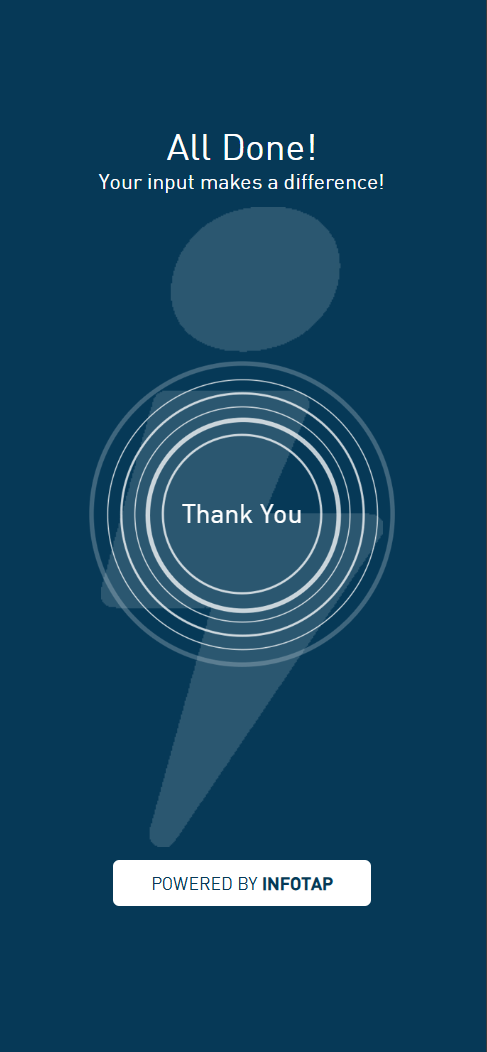
Guest accesses the internet
Response captured.
The survey runs in the device's native browser.
Guests do not sign up or log in to anything.
Guests can engage or close it at any point. Their Wi-Fi access is already granted.
Not a Form. A SmartForm.
Standard survey forms feel like homework. Infotap SmartForms feel like a quick poll. Eight question formats, all designed for one-thumb mobile interaction. Guests complete them because they want to, not because they have to.
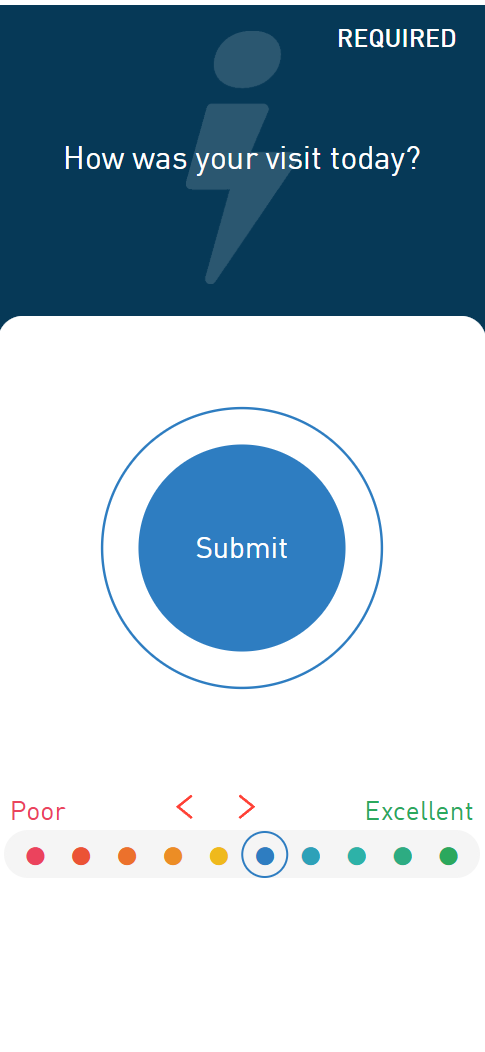
A horizontal dot scale with color progression from coral to teal.
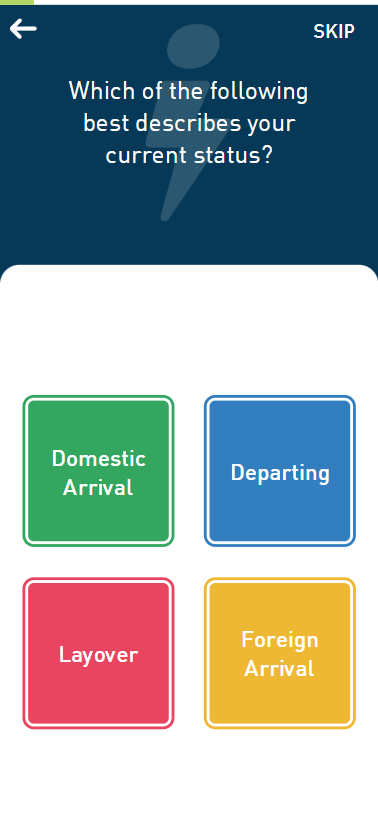
A 2 by 2 grid of large tap targets, built for the thumb.
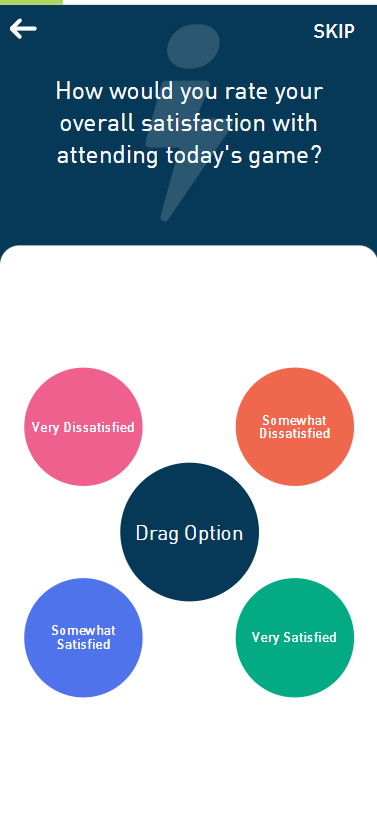
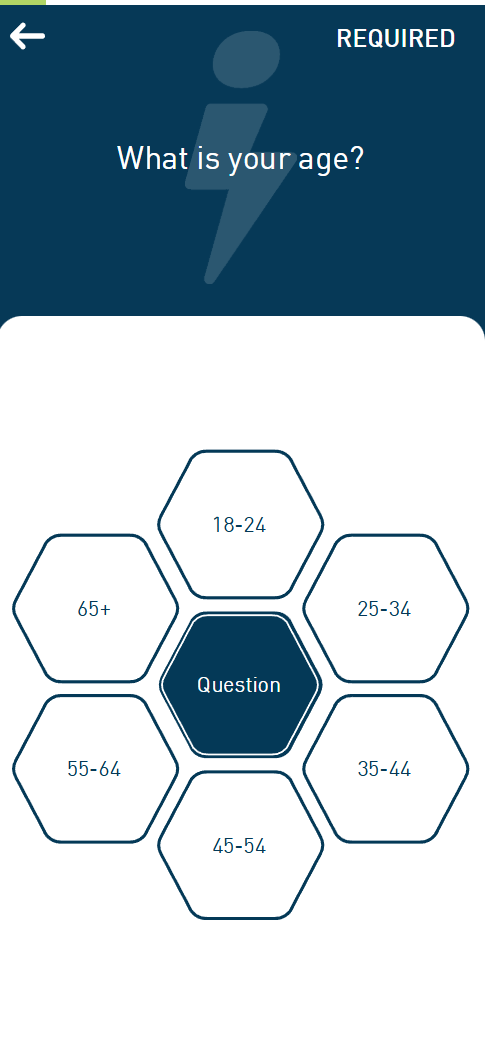
A circular orbital layout with option circles around a center mark.
Question sets rotate automatically across guests so no one sees the same survey twice. A single deployment can cover all of a venue's research topics across the full visitor population, without making any individual guest answer more than 3 to 5 questions.
76% completion rate. 28-second median.CVG Airport, Infotap deployment.
Intelligence Output: From Response to Report, Automatically.
What happens to a survey response after a guest taps submit. No analyst sits in the middle of this.
Guest submits response
Streams to Infotap in real time.
Processing
Statistical analysis, persona synthesis, sentiment analysis, recommendations
All automatic, the moment responses arrive.
Real-time dashboard. Executive report. Integration to your existing tools.
Real-Time Dashboard
Responses stream live. Watch satisfaction scores build as guests connect.
AI Executive Report
A publication-ready intelligence document, generated automatically when the survey closes.
Integration
API, Webhooks, Power BI connector, and Excel export to push data into existing venue systems.
CVG International Airport receives a complete executive report within hours of every survey closing, covering 22,000 monthly responses, statistically analyzed, with personas, sentiment, and strategic recommendations. No analyst involved.
The Complete Infotap Loop.
All three journeys, joined into one continuous intelligence loop. Once deployed, the venue never re-deploys. The cycle runs from the survey onward.
 The Infotap Loop
- Deploy
One redirect URL added to the existing captive portal.
- Guest Connects
Guest authenticates on venue Wi-Fi through the existing portal.
- Survey Presented Post-auth
The already-connected guest sees a voluntary Infotap survey as the post-login destination.
- Response Captured
Guest completes the survey in 28 seconds. The response streams to the dashboard in real time.
- AI Analyzes
Infotap AI synthesizes responses automatically: statistics, personas, sentiment, recommendations.
- Report Delivered
A publication-ready executive report is delivered to venue leadership.
- Decision Made
The venue acts on the intelligence. Guest experience improves, satisfaction scores rise, and the next survey cycle captures the improvement, returning to Stage 3.
Works With Your Existing Wi-Fi Infrastructure.
Cisco Meraki
Captive portal redirect URL via dashboard.
Aruba / HPE
External captive portal redirect.
Ruckus Networks
SmartZone and ZoneDirector redirect configuration.
Ubiquiti UniFi
Guest portal redirect URL.
Cambium Networks
Captive portal external page redirect.
Plus any Wi-Fi management system that supports a custom captive portal redirect URL — which covers virtually all enterprise-grade deployments.
Infotap integrates via a single configuration change to your captive portal: the post-authentication redirect URL. No new hardware is required. No firmware updates are needed. No agent or software is installed on the network. Infotap exists entirely outside your network infrastructure, and only receives the redirect after your portal has already completed its authentication process.
How It Works: Common Questions
How does Infotap work?
Infotap adds a voluntary guest survey to any venue Wi-Fi network via a single configuration change to the existing captive portal. When a guest connects to venue Wi-Fi and authenticates through the existing portal, they are forwarded to a short Infotap survey as the post-login destination, already connected and online. The guest answers 3 to 5 gamified questions in approximately 28 seconds. Every response streams to the venue's real-time dashboard instantly, and an AI executive report is generated automatically when the survey closes.
How long does it take to set up Infotap?
Most Infotap deployments are live within one business day of contract signing. The setup involves three steps: the venue's Wi-Fi administrator adds a single post-authentication redirect URL to the existing captive portal configuration, Infotap configures the branded survey template and question rotation schedule, and the deployment goes live. There is no new hardware to install, no firmware to update, and no app for guests to download. Most venues collect their first survey responses on the same day setup is completed.
Does the survey appear before or after a guest gets Wi-Fi access?
After. Infotap surveys appear after the guest has already been authenticated and granted Wi-Fi access by the venue's existing captive portal. The authentication process (device registration, terms acceptance, and network security) is handled entirely by the venue's existing infrastructure and is unchanged. Infotap only receives the guest as a forward after successful authentication. The guest is already online when the survey appears, and participation is entirely voluntary with no condition attached to internet access.
What happens to survey responses after they are submitted?
Every response is written to the venue's Infotap dashboard in real time the moment it is submitted. The AI engine begins processing immediately, performing statistical analysis, cross-tabulation, open-ended sentiment analysis, and persona synthesis automatically. When the survey closes, or on a scheduled cadence for ongoing surveys, the engine assembles a complete executive report. The report is available in the dashboard, delivered by email, and accessible via API, Webhooks, and Power BI connector for integration with existing venue analytics systems.
Which Wi-Fi platforms does Infotap support?
Infotap supports Cisco Meraki, Aruba / HPE, Ruckus Networks, Ubiquiti UniFi, and Cambium Networks, the five most common enterprise Wi-Fi platforms used in airports, hotels, stadiums, transit systems, and convention centers. Infotap integrates via the standard captive portal post-authentication redirect URL, which is a configuration option available on all enterprise-grade Wi-Fi management systems. Any platform that supports a custom redirect URL after authentication is compatible with Infotap.
What are SmartForms and how are they different from standard surveys?
SmartForms are Infotap's gamified survey question formats designed for one-thumb mobile interaction. Where standard survey forms present text fields and radio buttons, SmartForms use tap-grid layouts, orbital selection interfaces, rating scales, and swipe-based answer mechanisms that feel like familiar mobile app interactions rather than forms. The gamified format reduces completion friction significantly, contributing to Infotap's 76% completion rate at CVG Airport compared to the 2 to 5% industry average for post-visit email surveys.
See It Running on Your Venue's Wi-Fi.
Book a demo. We will walk through the complete setup, show you a live survey on your phone, and show you what the executive report looks like when the survey closes.
- No credit card required
- Full platform walkthrough
- GDPR + CCPA compliant